Best WordPress Security Plugins: What We Use on 105+ Sites
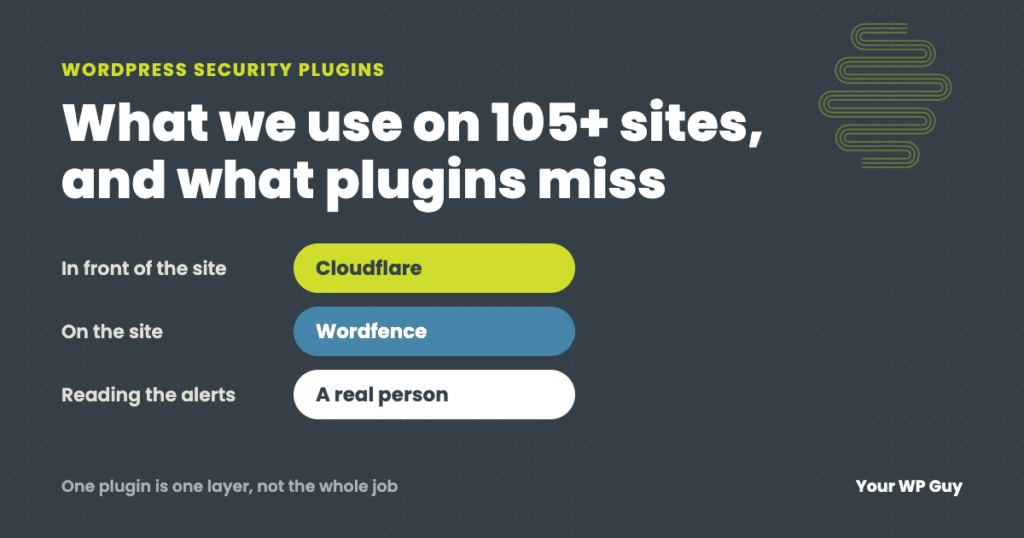
For most WordPress sites, the best security plugin is Wordfence, with Cloudflare in front of the site. Wordfence gives you a firewall, malware scanning and login protection in one plugin. Cloudflare stops bad traffic before it reaches your server. Run one all-in-one security plugin, not two. A plugin is only one layer, though: updates, backups and someone reading the alerts do the rest, which is what our WordPress security services cover.
We do not sell a security plugin, and we earn nothing from any link in this post.
Search for WordPress security plugins and most of the lists you find are written by a company that sells one, and it usually ranks itself first. That makes it hard to know what actually matters.
We look after 105+ business websites, so we live with these plugins every day: we install them, read their alerts, and fix things when they get in the way. This guide covers what a security plugin should do, how the popular ones compare, what we have seen them miss, and what no plugin can do for you.
Do you need a security plugin on WordPress?
Yes, almost every WordPress site should run one. WordPress itself is well maintained, but most sites also run 20 or more plugins written by different developers, and each one can have a flaw (see where WordPress security issues really come from). A security plugin watches for the attacks that target those flaws, blocks repeated login guessing, and tells you when files change.
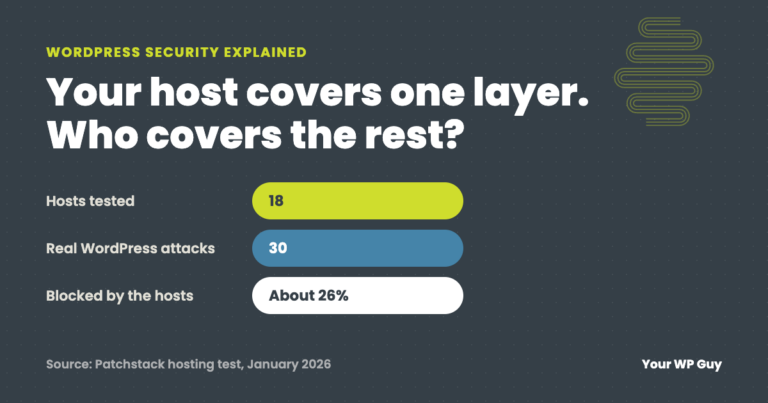
The exception is a site that is fully managed by a host or a care team that already runs equivalent protection on the server. Even then, ask what is in place rather than assuming. “My host handles security” often means a firewall at the server and nothing that watches WordPress itself.
What should a WordPress security plugin do?
A good security plugin covers four jobs. If yours misses one, cover that job with a separate tool.
- Firewall. Blocks known attack patterns before they reach WordPress. It works best when its rules update quickly, because attacks on a newly announced plugin flaw often start within a day.
- Malware scanning. Compares your files against known-good copies and known malware, and flags anything that changed.
- Login protection. Limits login attempts, adds two-factor sign-in, and blocks reused or leaked passwords.
- Alerts. Emails you when something important happens, like a new administrator account or an administrator signing in from a new place. In our experience this is the most underrated feature on the list.
The best WordPress security plugins, compared
These are the security tools we see most on business sites, and the one thing each does best. We run Wordfence and Cloudflare. The others are solid options that suit different sites.
| Plugin | Best for | Firewall | Malware scan | Free version |
|---|---|---|---|---|
| Wordfence | Most sites: everything in one plugin | Yes, on your server | Yes | Yes (new rules arrive 30 days later than Premium) |
| Cloudflare | Stopping attacks before they reach your server | Yes, in front of your site | No | Yes |
| Sucuri Security | Activity logs and file change monitoring | Paid cloud firewall | Remote scan | Yes |
| Solid Security (formerly iThemes Security) | Login protection and hardening settings | Basic rules | Site scan (more in Pro) | Yes |
| MalCare | Scans that do not slow your server | Yes | Yes, on their servers | Yes (cleanup is paid) |
| Patchstack | Fast protection from known plugin flaws | Targeted patches (paid) | No | Yes (alerts only) |
| All-In-One Security | A free plugin with many settings | Basic rules | Limited | Yes |
Features change often. Check each plugin’s own page before you choose. Checked October 2026.
Wordfence
Wordfence is the all-in-one plugin we use. It runs a firewall inside WordPress, scans your files against the official copies, protects the login page and sends useful alerts. The free version is strong, but its firewall rules and malware signatures arrive 30 days after the Premium version gets them, and 30 days is a long time when a plugin flaw is being attacked. Its scans also use your server’s resources, which matters on small hosting plans. One more thing to know: its firewall can block legitimate services, such as a payment provider, without telling you (see the story below).
Cloudflare
Cloudflare is not a WordPress plugin at heart. It is a network that sits in front of your site and filters traffic before it reaches your server, so attacks and bad bots never cost your server anything. The free plan covers most small business sites. It only protects traffic that actually passes through it, which is why we pair it with a plugin on the site itself. We explain the gaps in why Cloudflare alone is not enough.
Sucuri Security
The free Sucuri plugin is strongest at keeping a record: who logged in, what changed and which files were modified. Its malware check runs from Sucuri’s servers and looks at what visitors can see, so it can miss malware that only lives on the server. Its real protection, a cloud firewall and malware cleanup, is a paid service.
Solid Security
Solid Security, the plugin formerly called iThemes Security, is good at locking down the login page and turning on dozens of hardening settings from one screen. Its built-in site scan is basic, and more advanced scanning is in the paid Pro version. Be careful with the hardening options: turning everything on at once can break other plugins.
MalCare
MalCare does its scanning on its own servers instead of yours, so scans do not slow your site. That makes it a good fit for busy sites on modest hosting. The free version finds problems, and one-click cleanup is part of the paid plan.
Patchstack
Patchstack focuses on one thing: known flaws in plugins and themes. The free plan tells you when something you run has a published vulnerability. The paid plan adds targeted patches that block attacks on that specific flaw until the plugin’s author ships a fix. It works alongside an all-in-one plugin rather than replacing it.
All-In-One Security
All-In-One Security (AIOS) is free and offers a long list of settings: login lockdown, firewall rules, two-factor sign-in and more. It suits owners who like to configure things themselves. Its malware scanning is limited compared with Wordfence or MalCare.
Plugins that do one job well
Some security jobs are better handled by a small, focused plugin, especially if your main security plugin does not cover them:
- Two-factor sign-in: the free Two Factor plugin from WordPress.org contributors adds a second step to every login.
- Activity log: WP Activity Log records who changed what, which is invaluable after something goes wrong.
- Backups: a backup is not security, but it is how you recover when security fails. UpdraftPlus is a common choice. Keep copies off your server.
- Spam and bot checks on forms: Cloudflare Turnstile blocks bots on forms without making visitors solve puzzles, and it is much lighter than older captchas.
Rather not manage security plugins yourself?
We set this up and watch it on every site we look after, so you never have to read a firewall alert. Here is how it works:
- Talk to a WordPress expertTell us about your site and what it runs.
- We lock it downFirewall, scanning, login protection and alerts, set up and tuned for your site.
- We watch it every dayA real person reads the alerts and acts on them, and a hacked site on a plan is cleaned up free.
What we have seen security plugins miss or break
Security plugins are worth running, but they are not set-and-forget. These are real cases from sites we look after, with client details left out.
The scan said clean. The new admin gave it away.
An attacker used a plugin flaw that had been made public the day before, and planted two fake plugins with harmless-sounding names. One quietly recreated a hidden administrator account on every page load. The malware scan did not flag either file. What caught it was an alert that a new administrator had signed in. Deleting that account alone would have done nothing, because the hidden plugin would have recreated it within seconds. Read the full story: anatomy of a WordPress breach.
The firewall blocked the payment processor for three weeks
A store’s payment provider kept reporting that the store’s API keys were invalid. The keys were fine. The security plugin’s firewall was blocking the provider’s servers, and it blocked 101 requests over three weeks, including the messages that mark orders as paid. Nothing looked wrong from the owner’s side, because the owner was never the one being blocked. Here is how we found it and fixed it.
Cloudflare was on, but not protecting the site
We regularly find sites where the team believes Cloudflare is protecting them, but the setting that routes traffic through it is switched off, or the server can be reached directly around it. The dashboard looks fine either way. Here is what to check.
Two spam checks loading at once cost 3.6 MB per visit
A half-finished switch from reCAPTCHA to Cloudflare Turnstile left both running, and the old script loaded eight times on every page view. Finishing the switch cut 47 percent of what each visitor downloaded. Read the reCAPTCHA vs Turnstile case study.
The lesson across all four: the tool matters less than whether someone is reading what it says and checking that it is actually working.
Is a free one-time scan enough?
A free online scan is a great quick check, but it is not ongoing protection. Tools like Sucuri SiteCheck and Wordfence’s free scanner do a fantastic job of telling you whether your site looks infected right now. They check one moment, and mostly from the outside.
Ongoing protection is different. It means a scanner installed on the site and running on a schedule, alerts for new administrators and changed files, and a person who acts on those alerts the same day. The breach above shows why: the damage was done within minutes of the attack, and a scan run once a month would have found nothing to warn about until it was too late.
What a security plugin cannot do
A security plugin cannot keep your other plugins updated, and outdated plugins are the most common way WordPress sites get hacked. In the breach above, the flaw had been public for one day. The real defense is updates applied quickly, plus protection for the gap until a fix ships.
It also cannot:
- Restore your site. Only a recent, tested backup stored off the server can do that.
- Clean up a hack completely. Removing the malware is half the job. Closing the way in, removing hidden admin accounts and changing every password is the other half.
- Read its own alerts. An alert nobody reads protects nothing.
- Tell you when it is blocking something you need, like a payment provider or a booking tool.
That is why we treat security as a service, not a plugin. Our WordPress security services combine the tools above with daily updates, daily backups and a person watching the alerts.
Not sure where your site stands? Our free Uh Oh Score checks your site and shows what needs attention, with no sales call required.
Get my Uh Oh ScoreQuestions people ask
What is the best security plugin for WordPress?
For most sites, Wordfence is the best single security plugin because it combines a firewall, malware scanning, login protection and alerts. Pair it with Cloudflare in front of the site. If your hosting is small and scans slow it down, MalCare is a good alternative because it scans on its own servers.
Is Wordfence the best WordPress security plugin?
It is the one we use and the most complete all-in-one option. Its weak spots are the 30-day delay on rules in the free version, the load its scans put on your server, and a firewall that can block legitimate services without telling you. None of those are reasons to skip it, but they are reasons to watch it.
Can I run two security plugins at the same time?
Avoid running two all-in-one security plugins. Their firewalls and login rules overlap, slow the site down and can lock you out. It is fine to pair one all-in-one plugin with Cloudflare, or with a single-job plugin like an activity log or Patchstack.
Is a free security plugin enough?
A free plugin is far better than none, and for many small sites the free version of Wordfence plus Cloudflare is a solid setup. The paid versions mainly buy faster firewall rules and cleanup help. What free plugins cannot give you is someone reading the alerts.
Will a security plugin slow down my site?
It can. Plugins that scan on your server use its resources while they run, and that is most noticeable on small hosting plans. Schedule scans for quiet hours, or use a plugin that scans on its own servers.
Does Cloudflare replace a security plugin?
No. Cloudflare filters traffic before it reaches your site, but it cannot see what happens inside WordPress, like a new admin account or a changed file. Use both.
Sources
- Wordfence, Wordfence plans and pricing (free version receives firewall rules and malware signatures 30 days after Premium).
- Cloudflare, Web Application Firewall documentation.
- Patchstack, vulnerability protection for WordPress.
- WordPress.org, Hardening WordPress.
- Your WP Guy client cases: WordPress breach case study, REST API block, reCAPTCHA vs Turnstile.
Keep your hardest-working employee safe
A hacked website loses customers before you even know it happened. With our security services, a real person keeps your site updated, protected and watched every day, and if a site on a plan is ever hacked, the cleanup is free.

Jonathan Wofford is the founder of Your WP Guy, a WordPress care and maintenance service supporting 105+ active client sites. He and his team keep WordPress sites fast, secure, and running, so business owners can stay focused on their business instead of their website.