WordPress Site Monitoring: What We Actually Watch
The Short Version
- Most WordPress maintenance providers monitor 4 to 6 things: an uptime ping, a nightly backup, weekly updates, and a security plugin’s default alerts. Most of it unverified.
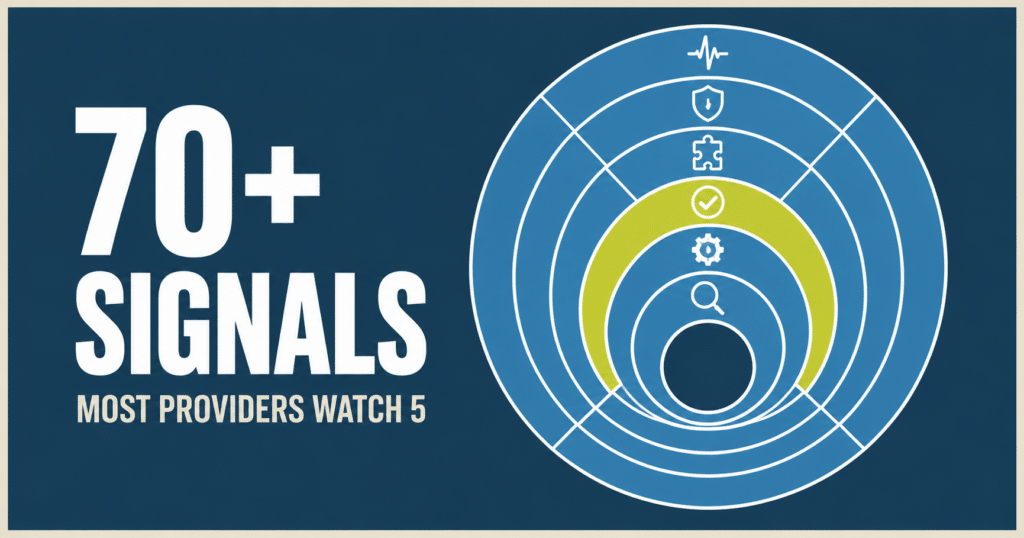
- Every site we manage gets 70+ distinct health and security signals tracked across roughly 15 independent monitoring systems, most checked hourly or daily.
- On a typical full stack site that works out to 300+ individual tracked values.
- It covers six layers: traffic and attack detection, security, site integrity, verified updates, inside-WordPress diagnostics, and search visibility.
- If a provider can’t tell you what changed on your site yesterday, they aren’t monitoring it. They’re hosting a to-do list.
What’s In This Post
- What “maintenance” usually means
- WordPress site monitoring, by the numbers
- Layer 1: Traffic and attack detection, hourly
- Layer 2: Security, daily
- Layer 3: Site integrity, daily and twice daily
- Layer 4: Updates, verified, not assumed
- Layer 5: Inside WordPress diagnostics
- Layer 6: Search visibility, weekly
- Why the count isn’t the point
- The honest comparison
- Frequently asked questions
What “maintenance” usually means
Ask most WordPress maintenance providers what they monitor and you’ll get some version of the same list: an uptime ping, a nightly backup, weekly plugin updates, and a security plugin’s default email alerts.
That’s four or five signals. Most of them unverified. The update “ran.” The backup “completed.” Nobody actually looked.
Here’s what WordPress site monitoring actually looks like on every site we manage.
WordPress site monitoring, by the numbers
The 300+ figure is what a typical full stack site looks like once everything is counted, not a floor every site hits. A couple of these layers only apply in certain situations: card testing detection runs on stores, and search visibility tracking depends on a connected Search Console. Most of the rest runs on every single site, hourly or daily.
The six layers
Layer 1: Traffic and attack detection, checked hourly
- How much traffic your site is getting compared to what’s normal for your site specifically. A sudden flood gets caught even when every individual request looks perfectly innocent on its own, which is exactly how a large attack slips past ordinary security rules.
- How often your site is throwing errors, measured out at the network edge. This is usually the very first sign something is going wrong, and it shows up well before customers start emailing you about it.
- On stores, the specific pattern of a card testing attack: a spike in failed orders, throwaway email addresses, the same small amount charged over and over. A firewall can’t tell a fraudulent order from a real one, so this has to be watched separately.
Layer 2: Security, checked daily
This layer is part of the WordPress security services included on every plan.
- How many attacks got blocked, tracked across a day, a week, and a month, so we can tell when your site is being targeted harder than usual.
- Whether your malware scanner is actually running. Plenty of sites have one installed that quietly stopped scanning months ago and nobody noticed.
- Rules out at the network edge that stop attackers from running hidden code on your site or hunting for your passwords and keys, before any of it reaches your server.
Layer 3: Site integrity, checked daily and twice daily
- A full list of your plugins, twice a day. If one disappears, gets switched off, quietly appears, or changes version, we know about it. That covers honest mistakes and the kind of change nobody remembers making.
- Every one of your domain’s DNS records, saved daily and kept for 90 days. DNS is what points your domain at your website and your email. If it gets hijacked or somebody fat-fingers a setting, we can see exactly what changed and when, instead of guessing.
- Uptime, checked every minute, so an outage is caught in minutes instead of hours.
- Your security certificate, your site’s basic health, and whether your domain is still pointing where it’s supposed to.
- Your sitemap, which is the list of pages search engines know about. If a batch of pages vanishes or spam pages get injected, it shows up the day it happens rather than a month later when your traffic drops.
- Your backups, checked for whether the backup history actually exists. “The host offers backups” and “you have a backup you could actually restore from” are not the same sentence.
Layer 4: Updates, verified, not assumed
Updates run daily, with extra runs when a high-risk plugin ships a security fix. An update that installed successfully and an update that didn’t break anything are two very different things. Most providers only check the first one.
After every update, we confirm your site is still responding, and then we confirm it still looks right, with a second independent automated check on the actual page a visitor would see. Not “did the update run.” Does your site still look the way it’s supposed to.
We also capture full page screenshots on a schedule and review them for anything that has visibly broken.
Layer 5: Inside WordPress diagnostics
This is the layer almost nobody else has. Most tools can only look at your site from the outside, the way a visitor sees it. We can also see what’s happening inside it, on demand, in seconds:
- Crashes, captured with the exact file and line that caused them. That includes the kind where a page runs out of memory and dies, which most tools can’t record at all. It’s the difference between “a page was blank yesterday” and knowing precisely why.
- Which plugins are actually running, not only which ones are installed, and what version each one is on.
- Your site’s scheduled background jobs, and whether any of them are stuck. Hung background jobs are one of the most common causes of a site that feels mysteriously slow for no visible reason.
- On stores, whether WooCommerce has a backlog of background work piling up behind the scenes.
- Whether your database is filling up with junk data, which quietly slows down every single page load on your site.
Layer 6: Search visibility, checked weekly
How many people are finding you in search, and whether that number is heading the wrong way. A ranking problem caught within a couple of weeks is a fixable problem. The same problem found three months later has already cost you real business.
Why the count isn’t the point
Any one of these signals is nice on its own. The compounding is the product.
A real example
Hourly traffic monitoring flagged elevated errors on a site we manage. The alert carried the exact time window. Server logs for only those minutes showed requests hanging. Internal diagnostics traced it to a runaway background job. Detection to root cause, same day.
A provider watching an uptime ping would have seen one thing the entire time: the site was up. Because it was. It was failing for a growing share of visitors, and an uptime ping has no way to know the difference.
We wrote up a similar chase in detail: a site that kept stalling under load where the server had power to spare and the real cause turned out to be a single setting nobody had thought to check.
That’s the difference between monitoring and a checklist.
The honest comparison
| Typical Provider | Your WP Guy | |
|---|---|---|
| Signals monitored | 4 to 6 | 70+ distinct signal types (300+ tracked values, typical site) |
| Uptime checks | A basic uptime ping | Every minute, plus everything below |
| Traffic anomaly detection | None | Hourly, against your site’s own baseline |
| Update verification | “It ran” | Automated check that the page still renders correctly |
| Plugin inventory | Untracked | Diffed twice daily |
| DNS | Untracked | Every record, daily, 90 day history |
| Card testing fraud | Untracked | Hourly on every store |
| Inside WordPress diagnostics | Install a plugin and hope | Live background jobs, crashes, and plugin state, on demand |
| Site crashes | Found when a client calls | Captured with the exact file and line, automatically |
If your current provider can’t tell you what changed on your site yesterday, they aren’t monitoring it. They’re hosting a to-do list.
Curious where your own site actually stands? Our free Uh Oh Score scan checks your WordPress site for exactly these kinds of gaps, no strings attached.
Frequently asked questions
What’s the difference between uptime monitoring and real WordPress site monitoring?
An uptime ping only tells you whether your site answers a request at all. It can’t see whether the site is slow, whether errors are climbing for a portion of visitors, whether a plugin silently changed, or whether something inside WordPress itself is misbehaving. A site can be fully “up” by an uptime check’s definition while failing for a growing share of real visitors the entire time.
Do I need an online store for the card testing detection to apply to my site?
Yes, that specific layer is built around checkout and payment activity, so it applies to ecommerce stores. Every other layer, traffic monitoring, security, site integrity, update verification, and inside WordPress diagnostics, runs on every site we manage regardless of whether it sells anything.
How is DNS monitoring different from what a standard security plugin checks?
Most security plugins don’t track DNS at all. We snapshot every DNS record daily and keep 90 days of history, so a hijacked or accidentally botched DNS change shows up as a clear before and after difference instead of a mystery someone has to piece together after the fact.
What actually happens when monitoring catches something on my site?
The alert carries the specific signal and time window, which is what makes fast diagnosis possible. Instead of starting from “something seems off,” the investigation starts from “elevated errors, this exact hour,” which is usually enough to trace the root cause the same day rather than guessing across an entire site.
Is all of this monitoring included on every care plan, or only higher tiers?
Yes. The full monitoring stack runs on every plan, including Gold. Card testing detection applies to stores, and search visibility tracking needs a connected Search Console. Higher plans add hands-on help, advanced troubleshooting and monthly support time, not deeper monitoring. Compare the care plans.
What Is Your Current Provider Actually Watching?
If you’re not sure what “monitoring” means at your current provider, that’s worth finding out before something breaks. Our care plans include the full stack above on every site we manage. We manage 105+ active client sites, and this is the baseline for every one of them.