Best Beaver Builder Add-ons: What We Actually Use
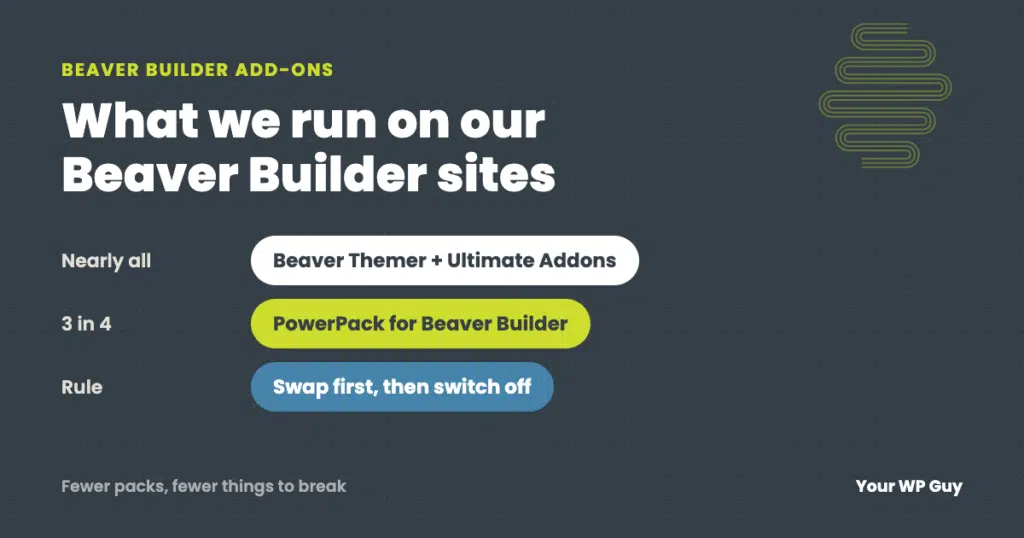
Most Beaver Builder sites need only two or three add-ons. On the sites we look after, the core stack is Beaver Themer (now included in every Beaver Builder plan), Ultimate Addons for Beaver Builder and PowerPack. Add one pack at a time, switch off the modules you don’t use, and only stack two packs when each fills a real gap. If your site already feels slow or cluttered, our WordPress care plans include keeping that stack lean and updated.
Beaver Builder on its own covers the basics: rows, columns, text, images and buttons. The moment you want a pricing table, a before-and-after slider or a custom header, you start shopping for add-ons, and the lists you find are often years old or written to earn a commission.
We build and look after Beaver Builder sites every day, so this list comes from what is actually installed on them, not from a sales page. It covers the three add-ons we rely on, the one we make, three honorable mentions other builders like, and how to stack them without slowing your site down.
Do you need a Beaver Builder add-on at all?
Only if Beaver Builder is missing something you need on more than one page. The core modules handle most brochure sites. Add-ons earn their place when you need things like pricing tables, FAQ accordions with schema, post grids, forms that match your design, or headers and footers you can edit without code.
Every add-on also adds files, settings and updates to look after. A site with five overlapping packs is harder to keep fast and harder to fix when an update goes wrong. So the right number is the smallest one that does the job.
The add-ons we use on client sites
Three add-ons run on nearly all of the Beaver Builder sites we look after. We checked our plugin records for this post in October 2026.
Beaver Themer
Themer lets you build headers, footers, blog post layouts and archive pages in Beaver Builder instead of in theme code. It is on nearly every Beaver Builder site we look after. It used to be sold separately; it is now included in every Beaver Builder plan.
Ultimate Addons for Beaver Builder
Ultimate Addons (UABB) adds 60+ modules and 300+ templates, from info boxes and tabs to form stylers and advanced headings. It is also on nearly every Beaver Builder site we look after.
PowerPack for Beaver Builder
PowerPack adds 90+ modules. It runs on about three in four of our Beaver Builder sites, including on this site, where its FAQ module also outputs FAQ schema for Google. It has modules UABB doesn’t, which is why many of our sites run both.
Pond Apex (ours)
Pond Apex is the add-on we make: 19 modules and 7 row effects for sites that need motion, such as animated backgrounds, scroll effects, text reveals, before-and-after sliders and flip boxes. Its scripts load only on pages that use them, and visitors who ask for less motion get less. It already runs on our own site; plans start at $29 a year and checkout is coming soon. See Pond Apex.
Prices and what each one adds
Here is what each add-on costs as of October 2026, from each maker’s own pricing page.
| Add-on | What it adds | Free version | Paid price (Oct 2026) |
|---|---|---|---|
| Beaver Themer | Headers, footers, post and archive layouts | No | Included in every Beaver Builder plan, from $89 a year for 1 site |
| Ultimate Addons (UABB) | 60+ modules, 300+ templates | Yes, UABB Lite (20,000+ installs) | $69 a year for 3 sites, $89 a year for 1,000 sites; lifetime from $319 |
| PowerPack | 90+ modules | Yes, PowerPack Lite (6,000+ installs) | $69 a year (listed at $79) for unlimited sites; lifetime $349 |
| Pond Apex (ours) | 19 motion and effects modules, 7 row effects | No | $29 a year for 1 site, $49 for 5, $79 for unlimited (checkout coming soon) |
Prices and install counts checked October 22, 2026 on each maker’s pricing page and on WordPress.org. Makers change prices and run sales often, so check before you buy.
Three honorable mentions we don’t use
We don’t run these on client sites, but each one is actively maintained and well rated by the people who use it. They are worth a look if our stack doesn’t fit your needs.
- Assistant (by the Beaver Builder team). A free plugin that puts recent content, search and media uploads in a panel on the front of your site. Assistant Pro adds cloud libraries for saving templates and layouts across sites (paid subscription). 4,000+ installs, rated 4.9 out of 5, updated September 2026.
- WPZOOM Addons for Beaver Builder. A free pack of 13 modules, including a slideshow, team members, testimonials, a food menu and a WooCommerce products grid. Handy for restaurants and small shops. 4,000+ installs, updated August 2026.
- Xpro Addons for Beaver Builder. The free Lite version has 20 modules, including flip boxes, logo grids and a contact form styler; Pro adds 50+ more, including WooCommerce modules. Smaller than the others (700+ installs), but it often shows up in add-on roundups. Updated June 2026.
One to skip for now
Header Footer for Beaver Builder has 10,000+ installs, but it had not been updated in over 16 months when we checked in October 2026. Plugins that stop getting updates become a security risk. Beaver Themer now does the same job and comes with Beaver Builder.
How to stack add-ons without slowing your site
Running two packs is fine if you keep them tidy. These are the rules we follow on the sites we look after.
- Start with Themer and one pack. Add a second pack only when it fills a gap the first can’t, such as PowerPack’s FAQ schema.
- Switch off the modules you don’t use. In Ultimate Addons, go to Settings > UABB > Modules. In PowerPack, go to Settings > PowerPack > Modules. Ultimate Addons’ own guide says turning off unused modules reduces server requests.
- Don’t double up. If two packs both have a tabs module, pick one and use it everywhere, so a future change only has to be made once.
- Swap before you switch off. Before turning off a module or an icon set, find every page that uses it and replace it first. Otherwise those pieces disappear from the live site.
- Update together, then check. Update Beaver Builder and its add-ons together, then look at a few key pages on a phone and a desktop, so you catch a broken layout before your visitors do.
Rather have us set it up?
We build and look after Beaver Builder sites every day, and we keep the add-on stack lean as part of it.
- Talk to a WordPress expertTell us what your site needs to do and which add-ons it has now.
- We review the stackWe check for overlapping packs, unused modules and plugins that stopped getting updates.
- We clean it up and keep it currentUnused pieces come out, the rest stays updated and tested.
Real example: the icons that vanished
On our own design site, yourwpguy.com, we switched off three icon sets that came with our add-ons and Beaver Builder after moving 340 icons over to Font Awesome. The homepage went from 15 icon and font downloads to 11.
Ten days later we copied a page over from another of our sites. Every icon on it came from one of the sets we had switched off, so they all vanished on the copy. The fix took minutes, swapping each one for its Font Awesome match, but it is the reason step 4 above exists: swap first, then switch off.
Not sure what your site is running? Our free Uh Oh Score checks your site and shows what to fix first, with no sales call required.
Get my Uh Oh ScoreQuestions people ask
Are there free Beaver Builder add-ons?
Yes. PowerPack Lite, Ultimate Addons Lite, WPZOOM Addons and Xpro Addons Lite are all free on WordPress.org. The free versions have fewer modules than the paid ones, but they are a good way to try a pack before you buy it.
Which is better, PowerPack or Ultimate Addons?
Neither wins outright. They overlap on the basics and each has modules the other lacks. Many of our sites run both. If you only want one, list the modules you need and see which pack has them.
Do I need Beaver Themer?
You need it if you want to design your header, footer, blog posts or archive pages in Beaver Builder. It is now included in every Beaver Builder plan, so most sites already have it.
Will Beaver Builder add-ons slow down my site?
They can, because each pack adds files and settings. Keep it to the packs you need, switch off unused modules in each pack’s settings, and check your speed after adding one.
Can I use two Beaver Builder add-on packs at once?
Yes. Many of the sites we look after run both Ultimate Addons and PowerPack. Pick one module for each job, switch off the duplicates, and update both packs together with Beaver Builder.
What is Pond Apex?
Pond Apex is our Beaver Builder add-on: 19 modules and 7 row effects for motion, such as animated backgrounds and scroll effects. Plans will be $29 a year for one site, $49 for five and $79 for unlimited; checkout is coming soon.
Sources
- Beaver Builder, Pricing (checked October 22, 2026).
- Ultimate Addons for Beaver Builder, Pricing (checked October 22, 2026).
- PowerPack Beaver Builder Addon, Pricing (checked October 22, 2026).
- Ultimate Addons for Beaver Builder, How to enable or disable modules in UABB to reduce server requests.
- WordPress.org plugin pages for UABB Lite, PowerPack Lite, Assistant, WPZOOM Addons, Xpro Addons Lite and Header Footer for Beaver Builder (checked October 22, 2026).
Keep your Beaver Builder site fast and easy to change
Many of the sites we look after are built with Beaver Builder. We keep the builder and its add-ons updated, tested and lean.

Jonathan Wofford is the founder of Your WP Guy, a WordPress care and maintenance service supporting 105+ active client sites. He and his team keep WordPress sites fast, secure, and running, so business owners can stay focused on their business instead of their website.