5 WordPress Security Rules Your Site Is Probably Missing
The Short Version
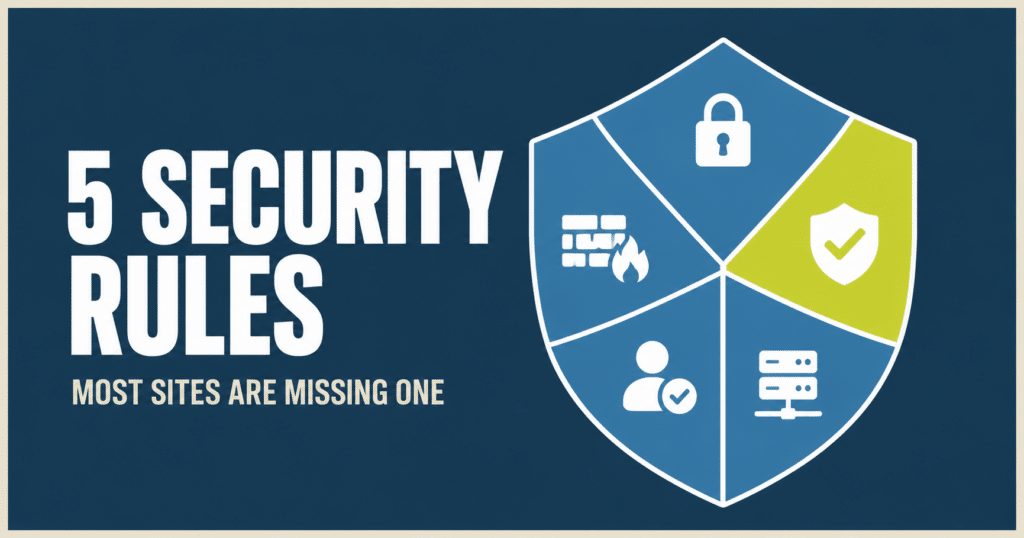
- These 5 WordPress security rules close off most of what automated attacks are looking for. Most sites are missing at least one.
- Most attacks aren’t sophisticated. They’re bots running down a checklist of common weaknesses, hoping yours is unlocked.
- Never let PHP run in your uploads folder, that’s how a single bad file becomes a backdoor.
- Lock down secret files like wp-config.php.bak, .env, and .git so scanners can’t find your keys.
- Turn off XML-RPC if nothing depends on it, it’s a favorite tool for brute-forcing passwords.
- Protect your login page with strong passwords, two-factor, and limits on failed attempts.
- Put real protection at the network edge, before traffic ever reaches your server.
What’s In This Post
- Why WordPress sites are such a common target
- Rule 1: Never let PHP run in your uploads folder
- Rule 2: Lock down your secret files
- Rule 3: Turn off XML-RPC if you’re not using it
- Rule 4: Protect your login page
- Rule 5: Put a real security layer in front of your site
- The real challenge with these WordPress security rules
- Frequently asked questions
Why WordPress sites are such a common target
WordPress powers a huge share of the web, and that popularity makes it a favorite target for automated attacks. A handful of WordPress security rules, applied consistently, closes off most of what those attacks are looking for.
Here’s the good news: most of those attacks aren’t sophisticated. They’re bots running down a checklist of common weaknesses, hoping yours happens to be unlocked. Close those doors and most attacks move on to an easier target instead.
You don’t need to be a security expert to close them. You need to know what they are.
Quick Reference
- Never let PHP run in your uploads folder. That folder is for images and media, not code.
- Lock down your secret files. Config files, backups, and developer files should never be reachable from the web.
- Turn off XML-RPC if you’re not using it. A favorite tool for brute-forcing passwords, with zero downside to disabling it.
- Protect your login page. Strong passwords, two-factor, and limits on failed attempts.
- Put a real security layer in front of your site. Enforced at the network edge, before traffic ever reaches your server.
The 5 WordPress security rules your site needs
Rule 1: Never let PHP run in your uploads folder
Your uploads folder is for images and media. It should never run code.
A common way sites get fully compromised is an attacker sneaking a malicious file into uploads and running it as a backdoor. Once that file can execute, they don’t need your password anymore, they have their own way in.
Block code from executing in that folder, and even if a bad file gets in, it can’t run. It just sits there, harmless.
Rule 2: Lock down your secret files
Config files with your database password, leftover backups like wp-config.php.bak, and developer files like .env and .git should never be reachable from the web. They often are.
Scanners probe for these constantly, running through known filenames hoping one is exposed. Blocking them stops a whole category of what amounts to a “steal the keys” attack, before it ever gets started.
Rule 3: Turn off XML-RPC if you’re not using it
xmlrpc.php is an older feature that few modern sites still need. Attackers love it for brute-forcing passwords and for amplifying other attacks, since it lets them test many credentials in a single request instead of one at a time.
If nothing on your site depends on it, switching it off removes one of the more effective tools in an attacker’s kit, with zero downside to you.
Rule 4: Protect your login page
Bots hammer your login page with password guesses day and night. It’s the most predictable door on your entire site, which is exactly why it gets tested the most.
Strong passwords paired with two-factor authentication, limiting how many login attempts are allowed, and challenging suspicious login traffic make that door dramatically harder to force open.
Rule 5: Put a real security layer in front of your site
These protections are far stronger when they’re enforced before traffic ever reaches your server, at the network edge, by a web application firewall.
But a firewall only helps if it’s configured correctly and the rest of your stack is locked down too. It’s one more layer, not a replacement for the other four.
We put exactly this kind of edge protection to work recently when a client site took a sudden flood of bot traffic. Here’s what that looked like in practice.
The real challenge with these WordPress security rules
None of these five rules are exotic. That’s not the hard part.
The hard part is that they’re easy to overlook, easy to misconfigure, and they need maintaining over time. New vulnerabilities get discovered, plugins change how they behave, and a rule that was set correctly a year ago can quietly drift.
Most sites have some of these covered. Very few have all five, set up right, and kept current.
Not sure where your own site stands? Our free Uh Oh Score scan checks for exactly this kind of thing, no strings attached.
That’s the part we handle.
Frequently asked questions
What is the easiest WordPress security rule to accidentally leave open?
Secret files tend to slip through the most. A leftover backup like wp-config.php.bak or a stray .env file often gets created during development or a migration and never gets cleaned up. Scanners look for these by name, so an overlooked file becomes an open door without anyone realizing it.
Do I need to know how to code to fix these WordPress security issues myself?
Some of it, like enabling two-factor authentication or limiting login attempts, can be done through a plugin with no coding involved. Blocking PHP execution in uploads and locking down secret files usually means editing server configuration, which is easy to get wrong if you’re not familiar with it. That’s the part most site owners hand off.
Is XML-RPC still needed by any WordPress site today?
Some setups still use it, mainly certain mobile publishing apps and a handful of plugin integrations that rely on remote calls. If you don’t recognize a specific reason you need it, most sites are safer with it turned off than left on by default.
What does a web application firewall actually protect against?
A web application firewall sits in front of your site and filters malicious traffic before it ever reaches your server, things like known attack patterns, malicious bots, and traffic floods. It’s most effective as one layer among several, not as a stand in for the other basics like locked down files and a hardened login.
How often should these WordPress security settings be reviewed?
Regularly, not just once. Plugins update, hosting environments change, and new vulnerabilities get discovered on an ongoing basis. A rule that was configured correctly a year ago can quietly stop working as intended if nothing rechecks it.
Is Your Site Actually Covering All Five?
Most sites have a few of these locked down and a few open without knowing it. Our care plans include security hardening across all five rules, kept current as things change, so you’re not the one checking. We manage 105+ active client sites, and this is the baseline every one of them starts with.