WordPress 404 Errors: Why They Happen and How to Fix Them
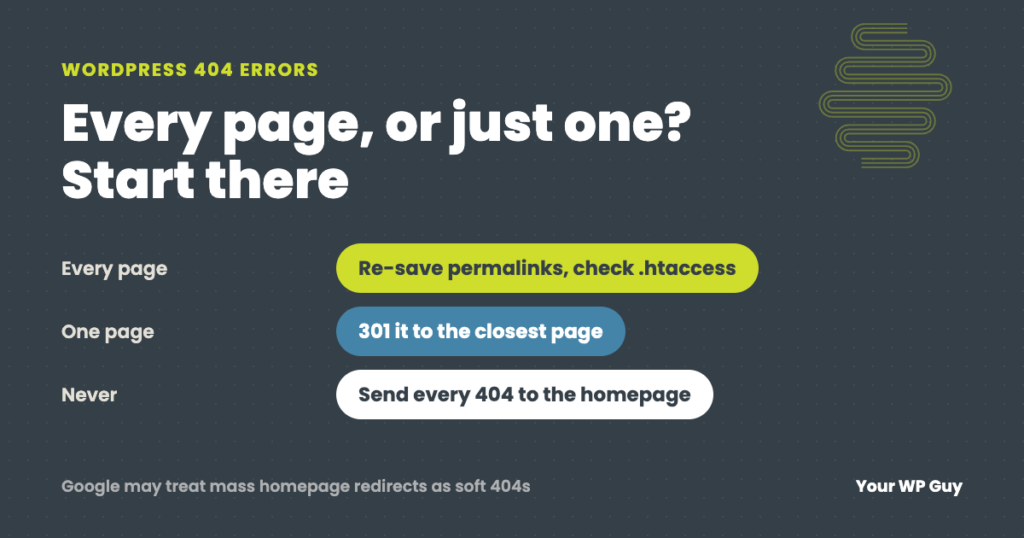
A WordPress 404 error means the server could not find the page that was asked for. First check whether it is every page or just one. If every page except the homepage shows a 404, the site’s rewrite rules are broken, usually because the .htaccess file is missing after a new install or a migration. Go to Settings, then Permalinks, and click Save Changes. If only one page shows a 404, its address changed or it was deleted. Redirect it with a permanent 301 to the closest matching page, not to your homepage.
A 404 can mean a visitor typed the wrong address, which is harmless. Or it can mean every page on your site is gone for every visitor and every search engine, which is an emergency. The fix depends completely on which one you have.
We fix and monitor WordPress sites for a living, and 404s come up most often during migrations, rebuilds and new site launches. This guide shows how to tell the two kinds apart, how to fix each one, and the redirect rules we follow on client sites and our own.
Every page or just one?
Open your homepage, then click through to a few inner pages and a blog post. What you see tells you where to look:
| What you see | What it usually means | Where to start |
|---|---|---|
| Homepage works, every other page is a 404 | The rewrite rules are missing or broken | Re-save permalinks, then check .htaccess |
| Started right after a migration or new install | The .htaccess file did not come across, or was never created | Restore the default WordPress rules |
| One page or post is a 404 | Its address changed, or it was deleted or put back in draft | Find the new address and add a 301 redirect |
| A link in an old email, ad or social post is a 404 | The page it points to was renamed or removed | 301 the old address to the closest page |
| Images or files are 404s | Uploads did not move, or a media offload setting changed | Check the uploads folder and media settings |
When every page shows a 404
WordPress pages do not exist as separate files. When someone visits /about-us/, the server has to hand that request to WordPress, and WordPress looks up the page. The instructions that tell the server to do that are called rewrite rules. On most Apache and LiteSpeed hosts they live in a small file called .htaccess in the site’s main folder. If that file is missing, the homepage still loads, but every other address is a 404.
- Re-save your permalinks. In the dashboard, go to Settings, then Permalinks, and click Save Changes without changing anything. WordPress rewrites its rules, and creates the .htaccess file if it can. This alone fixes most cases.
- Check the .htaccess file. If re-saving did not help, look in the site’s main folder (the one with wp-config.php) using your host’s file manager or FTP. Files that start with a dot are often hidden, so turn on “show hidden files.”
- Restore the default rules. If the file is missing or empty, create it with WordPress’s standard block below, for a site installed in the main folder. Keep any other rules that were already there.
- Check that the server can use it. If the file is right and pages still 404, the server may not be reading it. That is a hosting setting, so ask your host to confirm that rewrite rules are allowed for your site.
# BEGIN WordPress
<IfModule mod_rewrite.c>
RewriteEngine On
RewriteRule .* - [E=HTTP_AUTHORIZATION:%{HTTP:Authorization}]
RewriteBase /
RewriteRule ^index\.php$ - [L]
RewriteCond %{REQUEST_FILENAME} !-f
RewriteCond %{REQUEST_FILENAME} !-d
RewriteRule . /index.php [L]
</IfModule>
# END WordPress
If your site lives in a subfolder, such as /shop/, the RewriteBase and last line need that folder in them. Re-saving permalinks writes the right version for you.
The 404s we caught on a staging copy
In October 2026 we migrated a client site to a new host. On the staging copy at the new host, the homepage loaded and every other page was a 404. The migration had not brought the .htaccess file across, so the new server had no rewrite rules. Restoring the default WordPress rules fixed it in minutes, and because we found it on staging, visitors never saw it. We have seen the same thing on brand new sites where the file was never created.
That is why checking inner pages, not just the homepage, is part of every migration we do. Our WordPress migration guide covers the rest of the checklist.
Hosts that do not use .htaccess
Some hosts run Nginx, which ignores .htaccess files completely. WP Engine has deprecated .htaccess on its platform and handles WordPress’s rules itself, so this cause does not come up there. If you are on an Nginx host and every page is a 404, re-save your permalinks and then contact the host, because the fix is in their server settings, not a file you can edit.
Other site-wide causes
- A plugin changed your addresses. Permalink, translation and SEO plugins can change how addresses are built. If 404s started right after installing or updating one, that is your first suspect.
- A cache saved the error. If a page was briefly broken, a caching plugin, your host’s cache or a CDN may keep showing the 404 after the fix. Clear every cache layer, then test in a private window.
- The site address is wrong. If WordPress Address or Site Address under Settings, then General, does not match the real domain, links can point to pages that do not exist.
When one page shows a 404
If the rest of the site works, the problem is that page’s address. The usual causes:
- The address changed. Someone edited the page’s slug, or changed the permalink structure. WordPress remembers old addresses when a post’s slug changes, but it cannot help when pages are deleted, merged or rebuilt.
- The page was deleted, trashed or set back to draft. Check the trash and drafts before anything else.
- The link is wrong. A typo in a menu, button or another page, or a link copied from a staging site.
- An outside link points to an old address. Old emails, ads, social posts, directory listings and other websites keep linking to addresses long after you change them.
The fix is a 301 redirect, which tells browsers and search engines the page has moved for good. Point the old address at the page that best replaces it, then update any links on your own site so they go straight to the new address instead of through the redirect.
Rather have someone find and fix it?
A site full of 404s is one of the most common fixes we do, and a single 404 is usually a quick redirect.
- Tell us what you are seeingWhich pages show the error and when it started.
- We find the causeRewrite rules, a plugin, a migration or a changed address.
- We fix it and check every pageThen clear the caches so visitors see the fix.
Our redirect rules
These are the rules we follow on client sites and our own:
- Every changed address gets a 301. If a page moves, the old address redirects to the new one the same day.
- Cut pages go to the closest page. When we rebuild a site and remove pages, each removed page redirects to the page that best covers the same topic, so visitors and search engines land somewhere useful.
- Never send every 404 to the homepage. Google says not to redirect many old addresses to one unrelated page such as the homepage, because it confuses visitors and Google may treat those redirects as “soft 404” errors anyway. A visitor looking for a specific page who lands on the homepage is just as lost.
- Update your own links. After adding a redirect, change the links on your site to point straight to the new address.
We follow these on our own sites too. In October 2026 we retired 213 old posts on this blog. Each one was redirected to the closest current page, and 49 internal links were updated to skip the redirects. When we replaced an older security post later that month, its old address was redirected to the new one before the new post went live.
How to find 404 errors
- Google Search Console. The Pages report lists addresses Google tried to crawl that came back “Not found (404).” It is free and shows which ones Google cares about.
- A redirect plugin’s 404 log. On sites on our maintenance plans we use 301 Redirects Pro, which logs every 404 a visitor hits so we can redirect the ones that matter. Rank Math’s 404 monitor does the same job if you already use Rank Math.
- A broken link check. A crawler or link checker finds links on your own pages that point to addresses that no longer exist.
- Watch for a rise. We run our own monitor that watches for a rise in 404 errors across our clients’ sites. A few 404s a day is normal. A sudden jump usually means something site-wide changed, such as a migration, a plugin update or broken rewrite rules.
Are 404 errors bad for SEO?
Not on their own. A 404 for an address that never existed, such as a typo or a bot guessing at pages, is normal and every site has them. Google expects a page that does not exist to return a 404.
The damage comes from 404s on real pages: pages that used to rank, pages other sites link to, and pages in your menus. Those lose their search traffic and the value of the links pointing to them. That is why we redirect any page that had traffic or links, and leave true junk addresses as 404s.
Make a 404 page that helps
Visitors will still land on a missing page sometimes. A good 404 page keeps them on your site:
- Say plainly that the page could not be found, in your own words.
- Add a search box and links to your most visited pages.
- Give a way to contact you.
- Keep it a real 404 page. Do not redirect it to the homepage, and make sure the server still returns a 404 status.
Most themes and page builders let you design the 404 page like any other page.
Not sure what else on your site is broken? Our free Uh Oh Score checks your site and shows what needs attention, with no sales call required.
Get my Uh Oh ScoreQuestions people ask
Why are all my WordPress pages showing 404 except the homepage?
The site’s rewrite rules are missing or broken, usually because the .htaccess file is missing after a migration or new install. Go to Settings, then Permalinks, and click Save Changes. If that does not fix it, restore the default WordPress rules in .htaccess or ask your host.
How do I fix a 404 error in WordPress?
If every page is a 404, re-save your permalinks and check .htaccess. If one page is a 404, find where it moved and add a 301 redirect from the old address to the closest matching page.
Should I redirect 404 pages to the homepage?
No. Google says redirecting many old addresses to one unrelated page such as the homepage confuses visitors and may be treated as a soft 404. Redirect each page to its closest replacement, and let true junk addresses stay 404s.
Do 404 errors hurt SEO?
Not for addresses that never existed. They hurt when real pages that had traffic or links go missing, so redirect those to their closest replacement.
How do I find 404 errors on my WordPress site?
Check the Pages report in Google Search Console, the 404 log in a redirect plugin or Rank Math, and run a broken link check on your own pages.
Why did my site show 404s after a migration?
The .htaccess file often does not come across in a migration, or the new host handles rewrite rules differently. Re-save your permalinks on the new host and test inner pages, not just the homepage, before switching your domain over.
Sources
- WordPress, htaccess (default WordPress rewrite rules).
- Google Search Central, Site moves with URL changes (avoid irrelevant redirects to the home page).
- Google Search Central, How HTTP status codes affect Google Search.
- WP Engine, .htaccess deprecation and alternatives.
Get every page loading again
We find the cause of WordPress 404 errors, fix them, and set up the redirects so you keep your traffic.

Jonathan Wofford is the founder of Your WP Guy, a WordPress care and maintenance service supporting 105+ active client sites. He and his team keep WordPress sites fast, secure, and running, so business owners can stay focused on their business instead of their website.