
Troubleshooting
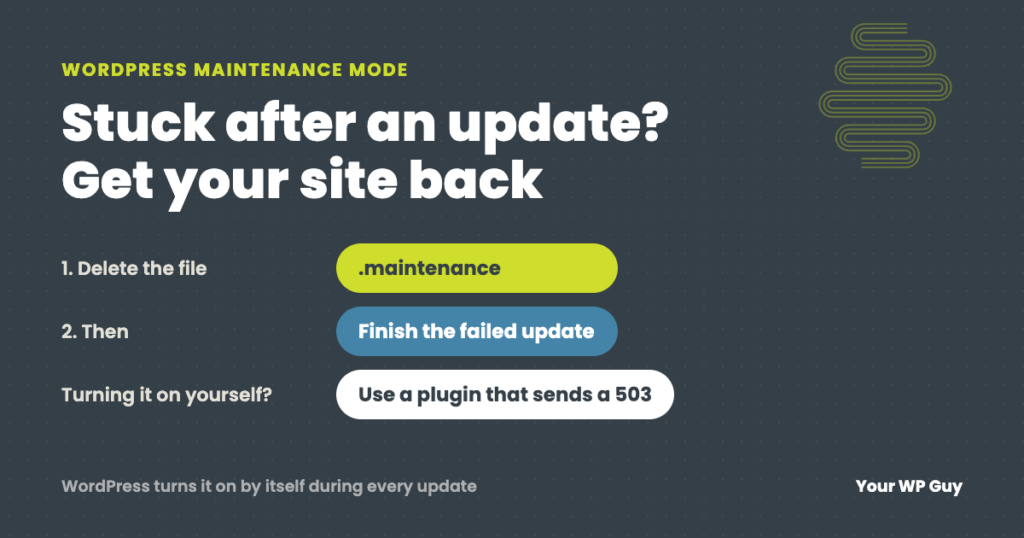
WordPress Maintenance Mode: Fix a Stuck Site or Turn It On Safely
The short answer WordPress puts your site in maintenance mode by itself for a few seconds every time it updates. If an update hangs, the site gets stuck showing “Briefly unavailable for scheduled maintenance. Check back in a minute.” To fix it, delete the .maintenance file in your site’s main folder, then finish the update…
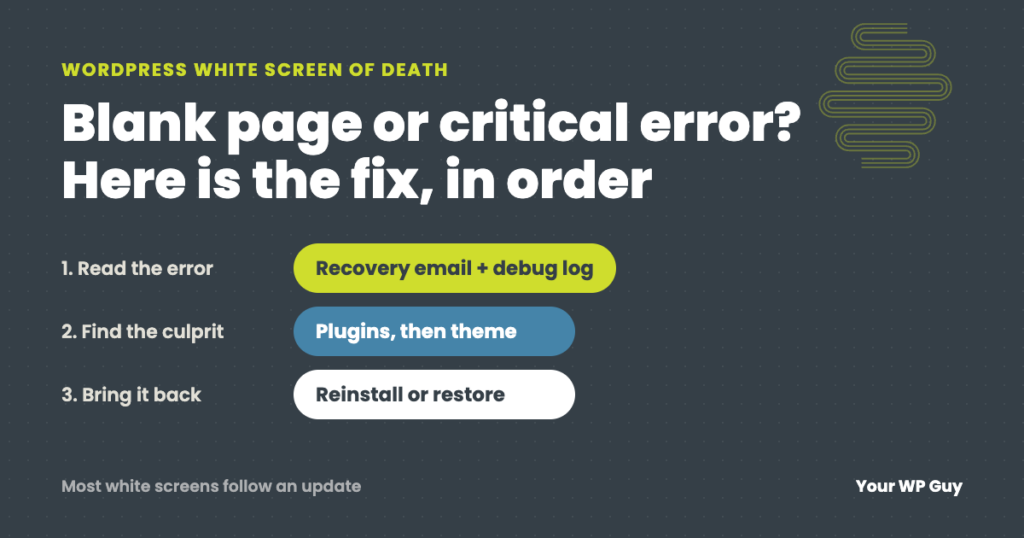
WordPress White Screen of Death (or Critical Error): How to Fix It
Few experiences strike fear into the hearts of website owners quite like seeing the dreaded white screen of death. You log in to check on your site, excited to see your latest blog post. But instead of your beautifully crafted content, you’re met with a blank white screen. No errors, no warnings, just… nothing. This…

“Unable to Contact Your Store’s REST API”; When Your Security Plugin Is Blocking Your Payment Processor
A payment gateway reporting invalid WooCommerce REST API credentials, even when they test fine, often means Wordfence is silently blocking the provider’s server. Here’s how to find the block in two minutes and fix it for good.
Unknown Named Parameter Error in wp-cron.php: The 2 Minute Fix
A wp-cron.php fatal error citing an unknown named parameter usually means an old cron event from a plugin you removed years ago. Here is why PHP 8 triggers it and how to delete it for good.
Site Can’t Be Reached on WiFi but Works on Cell: Your Domain May Be Flagged as Phishing
If your site works on cell data but shows site can’t be reached on WiFi, a DNS filtering service like Cisco OpenDNS may have flagged your domain as phishing. Here is how to diagnose it in under a minute and get it fixed.
WordPress 500 Internal Server Error: What It Means and How to Fix It
TL;DR A WordPress 500 Internal Server Error means the server hit an unexpected problem but won’t tell you what it was. The most common causes are a corrupted .htaccess file, a misbehaving plugin, or a PHP memory limit. To fix it: rename your .htaccess file, deactivate all plugins via FTP, or increase your PHP memory…

Locked Out? Understanding WordPress Login Error Messages
We all know the frustration of trying to access your website only to be met with an error message. As a WordPress website owner, encountering a login error can be incredibly annoying. You want to make changes to your site, write an important blog post, or look at the sales in WooCommerce, but these vague…

“Is It Just Me?”: Tools to Check the Availability of Your Website Worldwide
Having a consistently available website is crucial for any business competing digitally today. But maintaining website availability can be a major pain point, especially for small businesses with limited resources. When your site suffers downtime or simply becomes inaccessible for customers, the costs are very real—from immediate sales losses during outages to long-term brand reputation…

The Mysterious Case of Disappearing Content: Troubleshooting Sudden Losses
You probably do it every day: wake up, make your coffee, and log in to your website. But what happens if, when you access your website, you find that key pages, posts, and media files have inexplicably vanished? Your stomach drops. How will you explain this to customers? Situations like this are a real possibility…

The High Cost of Waiting: Real-world Impacts of Slow Support Responses
Your website crashes during a sale. Pages load at a crawl. Online forms stop working. You reach out for support, only to wait helplessly as the precious minutes tick by without resolution. The lackadaisical response from your website management team obstructs progress and drains productivity across your business. As a small business owner, you feel…