Case Study: The Missing Line of Code That Cost a Nonprofit 40 Seconds
TL;DR
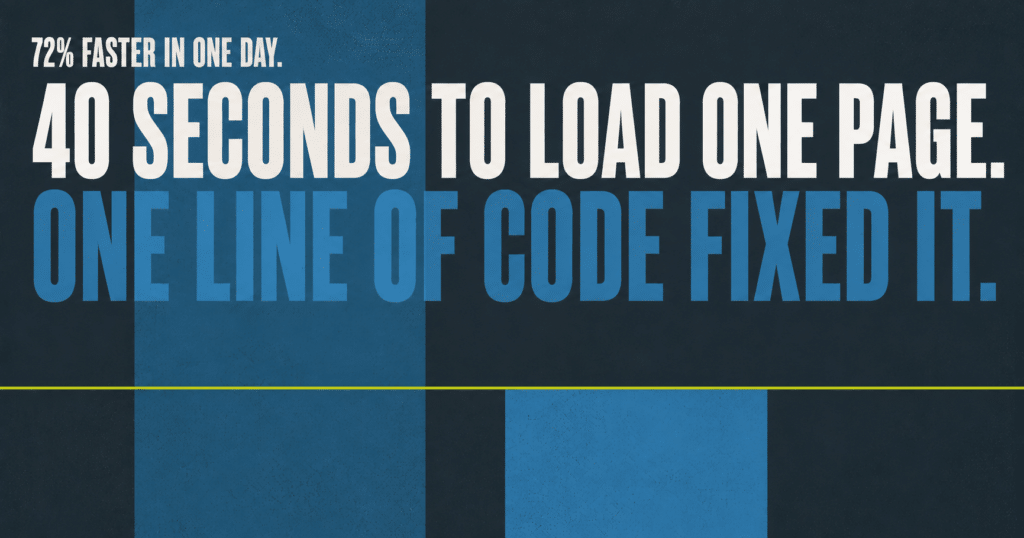
A nonprofit client had a WordPress page speed problem that looked fine on office WiFi, but its mobile homepage took over 40 seconds to load its main content on a slow connection. Nothing was broken, and no plugin or setting was misconfigured. The actual cause was one missing line of code in the site’s theme, silently disabling image lazy loading site wide since the site was rebuilt. Here is how we found it, fixed it, and cut total mobile load time by 72 percent in a single day.
- The site had already been built with modern image formats and passed every plugin audit. It should have been fast, and wasn’t.
- WordPress’s built in lazy loading was completely disabled, not by a setting, but by a single missing line in the custom theme.
- Without that line, WordPress couldn’t tell which images were above the fold, so it optimized none of them, on any page, since the site’s rebuild.
- Adding the missing line alone cut load time roughly in half within the hour.
- Compounding fixes (recompression, right sizing for phones, caching, font preloading) brought the total improvement to 72 percent faster.
In This Post
The WordPress Page Speed Problem Nobody Could See
A local nonprofit working to revitalize a historic neighborhood had a WordPress site that looked great and worked fine on office WiFi. But its mobile performance scores told a different story: on slower cell connections, the homepage’s main content took over 40 seconds to appear.
Here’s the thing: nothing was “broken.” No error messages. No plugin misbehaving in any settings screen. The site had already been built with modern image formats. By every visible measure, it should have been fast.
It wasn’t. And the reason turned out to be invisible to every standard tool.
The Detective Work
Our baseline testing showed something strange: the homepage was shipping 9 MB of images on every single visit. Every photo on the page, downloaded at full resolution, all at once, even photos far below what any visitor could actually see.
WordPress is supposed to prevent exactly this. Since 2020, it automatically lazy loads images, telling browsers to only download photos as visitors scroll near them. On this site, that entire system was silently switched off. Not by a setting. Not by a plugin. Nothing we could toggle back on.
So we instrumented WordPress itself, inserting temporary diagnostic code on the live server that logged every decision the image system made, on every image, during real page loads. The logs revealed WordPress was examining every image and declining to optimize any of them.
The reason: a single missing line of code in the site’s theme. The theme displayed page content without first opening what WordPress calls “The Loop,” a standard piece of boilerplate as old as WordPress itself. Without it, WordPress can’t tell which part of the page it’s rendering, so it can’t tell which images are above the fold, and rather than guess wrong, it optimizes nothing. Every image, on every page, eagerly downloaded, since the site’s rebuild less than six months earlier.
One line of code. Probably lost in an early version of the theme. Undetectable by any scanner, plugin audit, or settings review we know of.
The Fix, and the Compounding
We added the missing line. Lazy loading came back to life instantly across the whole site, and the main content load time was cut roughly in half within the hour, from 40.7 to 18.3 seconds on the slow connection test.
Then we compounded it:
- Recompressed every homepage photo at a visually identical quality level, verified with side by side comparisons, cutting each image by 35 to 65 percent.
- Right sized images for phones. Mobile devices had been downloading desktop sized photos. Now they automatically receive versions sized for their screens, 86 percent smaller per photo.
- Optimized the site’s custom map graphics, 40 percent or more smaller with pixel identical rendering.
- Eliminated the loading jump. The page’s headline text visibly shifted mid load because the site’s brand fonts arrived late. We preload them so the page renders correctly from the first frame.
- Extended server caching 6 times over, so far more visitors get instantly served pages instead of waiting for the server to build one.
- Removed a redundant optimization plugin that was actively fighting the hosting platform, and, ironically, was a second independent cause of the disabled image optimization.
Every change was verified on the live site within minutes, not assumed from settings screens. One fix, our first attempt at image right sizing, initially made things worse due to a WordPress quirk. Our verify everything process caught it in under five minutes, and the corrected version shipped the same hour.
The Results
These numbers come from a deliberately worst-case test: an iPhone on a slow, throttled mobile connection, the same standard Google uses to judge real world mobile experience. It is not WiFi and it is not a desktop test. On typical WiFi or a strong cell signal, this same homepage now loads in roughly 1 to 2 seconds. The slow-connection numbers below are what a visitor with two bars of signal actually experiences, which is the audience this fix was built for.
| Mobile Metric (Slow 4G) | Before | After (Slow 4G) | Change |
|---|---|---|---|
| Time until main content appears (LCP) | 40.7 seconds | 11.5 seconds | 72% faster |
| Homepage download size | 9.0 MB | 5.3 MB | 41% smaller |
| Layout shift while loading (CLS) | 0.11 | 0 | Eliminated |
| Total load time | 49 seconds | 29 seconds | 41% faster |
Measured with GTmetrix Lighthouse testing (Lighthouse 12, iPhone simulation, Slow 4G throttle, Seattle test node), results dated August 10, 2026. Before and after data retained on file.
Why This Matters
For a nonprofit, the visitors on slow connections aren’t an edge case. They’re often the community the organization serves, plus donors and volunteers checking in on their phones between everything else in their day. A 40 second wait doesn’t read as “slow website.” It reads as “broken,” and people leave.
This is what proactive care looks like. Nobody filed a ticket about this. The site’s owners couldn’t have known. It took deliberate baseline testing to find the symptom and live server diagnostics to find the cause. It’s the same standard we apply across every site on our care plans, whether or not anyone asked for it.
The Takeaway
Want to know what your site is actually doing on a phone with two bars of signal?
That’s the first thing we check in our WordPress speed optimization service.
Frequently Asked Questions
Why was the site slow on mobile if it looked fine on WiFi?
Office WiFi and strong cell connections can hide problems that only show up when bandwidth is limited. A page shipping 9 MB of images loads acceptably fast on a fiber connection and painfully slowly on a throttled mobile connection, which is why testing has to happen under realistic conditions, not a quick check from a fast office network.
What is lazy loading, and why does it matter for a WordPress site?
Lazy loading tells the browser to download images only as a visitor scrolls near them, instead of downloading every image on the page at once. WordPress has done this automatically since 2020. When it silently stops working, every visitor downloads the entire page’s worth of images immediately, whether they ever scroll far enough to see them or not.
How was a single missing line of code causing this?
WordPress uses a standard piece of code called The Loop to know which part of the page it’s currently rendering. Without it, WordPress can’t tell which images are above the fold, and rather than guess and risk hiding an image a visitor should see immediately, it plays it safe and optimizes nothing at all.
Could a plugin scan or settings review have caught this bug?
Not in this case. The site passed every plugin audit and had no error messages or misconfigured settings to flag. The only way it surfaced was through live server diagnostics that logged what WordPress actually did on real page loads, not what a settings screen claimed it was doing.
What is LCP, and why should I care about it?
LCP stands for Largest Contentful Paint, and it measures how long it takes for the main content of a page to actually appear on screen. It’s one of the core metrics Google uses to judge mobile experience, and it’s a strong proxy for what a visitor actually experiences: how long they stare at a blank or half loaded page before they can read anything.
How do I find out if my own WordPress site has a hidden performance problem like this?
Start with a real mobile test under throttled conditions, not a quick look on office WiFi. Our Uh Oh Score scanner checks exactly this kind of thing for free.

Jonathan Wofford is the founder of Your WP Guy, a WordPress care and maintenance service supporting 105+ active client sites. He and his team specialize in keeping WordPress sites fast, secure, and running, so business owners can stay focused on their business instead of their website. Talk to a WordPress Expert.