
What Caused the WordPress Hosting Outage on August 13, 2026 (And What We Are Doing About It)
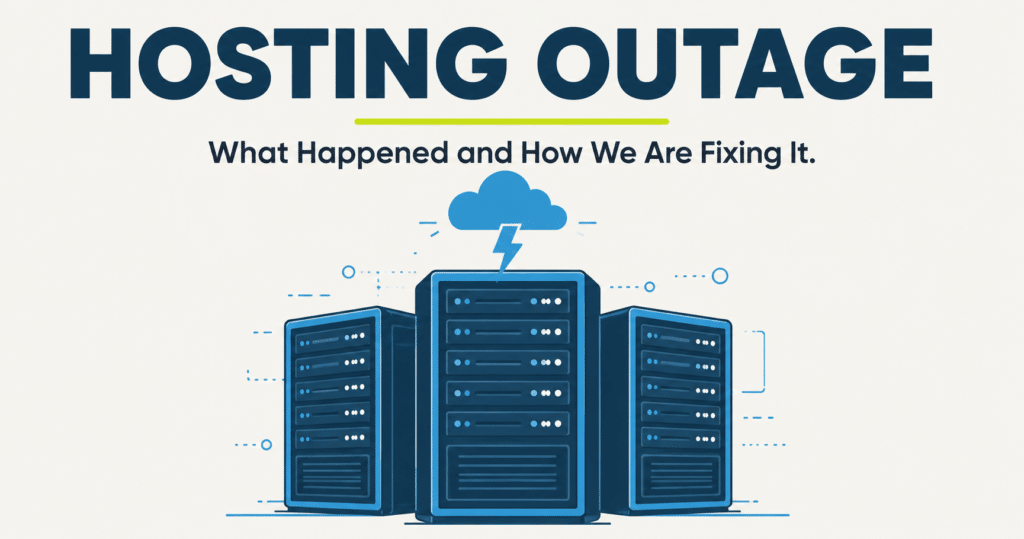
TL;DR
A storm-driven cooling failure at a Phoenix, Arizona data center caused a WordPress hosting outage on August 13, 2026, knocking sites offline for hours, including some we manage. It was not a hack or a mistake on your end. Here is what happened and the failover system we are rolling out so it does not happen again.
- A storm on August 13 knocked out cooling at a Phoenix data center, causing an hours-long outage.
- The facility shut servers down on purpose to protect the hardware from heat damage. That is the right call, but it still meant downtime.
- Namecheap and other companies tied to that facility went down too. This was not unique to you.
- We are rolling out a standby server in a separate region with a hot backup, so a repeat of this does not take every site down at once.
- No data was lost. Your site is back up and being monitored.
In This Post
What Caused the WordPress Hosting Outage on August 13?
On the morning of August 13, 2026, overnight storms rolled through Phoenix, Arizona and knocked out utility power to a data center that houses servers for a large number of websites, including some of the sites we manage for clients like you.
The power interruptions took out several of the building’s cooling units. Once the temperature inside started climbing, the facility made the call to shut equipment down on purpose rather than let it overheat and get damaged for good. That is the right move for protecting hardware. It is also the reason the outage lasted for hours instead of minutes.
This was not a small, isolated hiccup. Namecheap, one of the largest domain and hosting companies in the world, runs infrastructure in that same facility, and its main website was down for nearly 12 hours, with hosting and email services taking even longer to fully recover. Hosting.com reported its own servers unavailable at its Phoenix location that same morning, tied to the same round of storms. Between two major hosting companies and everyone else running infrastructure through that building, this was a regional event, not a problem unique to any single provider, including us.
If a company the size of Namecheap can get knocked offline by a storm, a single backup on a single server clearly is not the whole answer for anyone.
Why Your Website Went Down
Your site did not go down because of anything on your end. It went down because the physical server it lives on sits inside that Phoenix building, and when a building loses cooling, every server inside it has to power off, no matter how clean the code is or how many times we have updated your plugins.
We monitor your site around the clock, so we saw this the moment it started, not after you called us wondering where your site went.
Single Server vs. Failover Hosting: What Happens During an Outage
| What Happens | Single Location Hosting | Failover Hosting (Rolling Out Now) |
|---|---|---|
| A data center loses power or cooling | Your site goes offline until that building recovers | Traffic can move to a standby server running in a separate region |
| How long you’re likely offline | Hours, and out of anyone’s control | Minutes, while the standby server takes over |
| What you have to do | Wait, and hope your host communicates clearly | Nothing. It is designed to happen without you lifting a finger. |
What We Are Doing About It
We are not waiting around for the next storm to test our luck again. We are rolling out a standby server in a separate region, with a hot backup ready to go, for the sites in our care. Think of it as a second location for your storefront: if one goes dark, the other is already open and ready.
This is in progress right now, not a someday plan. We are keeping the specific provider details under wraps for security reasons, but here is the short version: your site will not depend on the health of one single building anymore.
What This Means for You Going Forward
Every one of our website maintenance plans already includes 24/7 monitoring, daily backups, and a real person keeping an eye on your site, not a chat bot. The failover setup we are building on top of that means fewer surprises when something outside anyone’s control, like a Phoenix thunderstorm, decides to test your infrastructure.
If a site is not on a monitored plan, an outage like this one can sit unnoticed for hours while the owner is busy running their business, with no one watching and no one to call. That is exactly the gap our plans exist to close.
Not sure where your site stands right now?
We will take a look and tell you honestly what is and is not protected.
Frequently Asked Questions
Was my website hacked during the August 13 outage?
No. Every official source, including the data center operator and the companies whose infrastructure lives there, points to a facility-level cooling failure caused by storm damage, not an attack. If your site was affected, it was a building problem, not a security problem.
Did I lose any data?
No data loss has been reported from this incident. The facility powered equipment down on purpose to protect it, which is the safer path compared to letting hardware overheat. Your backups are also stored separately, so your content was never resting on a single server anyway.
Why did other websites that are not hosted by Your WP Guy go down too?
The Phoenix data center behind this outage hosts infrastructure for a lot of companies, including major hosting and domain providers. Namecheap was down for nearly 12 hours, and Hosting.com reported its own Phoenix servers unavailable that same morning. When the building lost cooling, everyone inside it felt it, our clients included.
What is a failover server, and how does it actually help?
A failover server is a standby copy of your site running in a separate location. If the primary server goes down, traffic can shift to the standby so your site stays reachable instead of sitting dark until the original server comes back.
When will the new failover system be fully in place?
We are actively rolling it out right now. We would rather tell you honestly that it is in progress than promise a date we cannot guarantee.
What should I do if my site or email still is not working?
Reach out to us directly. Avoid making changes to your hosting or DNS settings on your own during an active incident, since that can extend the downtime rather than fix it.

Jonathan Wofford is the founder of Your WP Guy, a WordPress care and maintenance service supporting 105+ active client sites. He and his team specialize in keeping WordPress sites fast, secure, and running, so business owners can stay focused on their business instead of their website. Talk to a WordPress Expert.